Wriai vs Keyword Insights: AI SEO Automation vs Keyword Clustering
Wriai vs Keyword Insights is a comparison between two tools aimed at different parts of SEO work. Wriai for SEO automation is built to automate a broader content lifecycle, from finding opportunities to publishing and monitoring content. Keyword Insights focuses on organizing keyword research into topic clusters and supporting content planning. The right choice depends on whether your main bottleneck is executing SEO tasks or structuring a search strategy.
What Wriai and Keyword Insights do—and why the difference matters
The central difference is execution versus organization. Wriai's AI SEO agent workflow is positioned as an autonomous SEO platform that can carry work through research, content creation, publishing, linking, indexing, distribution, and monitoring. Keyword Insights is a strategic planning and clustering platform for turning keyword lists into more coherent content plans.
Wriai: a broader content lifecycle
Wriai’s workflow begins with opportunity discovery. Its Golden Opportunity Engine analyzes search data to identify potential keywords and ranking gaps, while its Autonomous E-E-A-T Content Studio supports content planning and creation. Its AI Market Radar monitors competitors and search trends for emerging opportunities.
The platform’s scope extends beyond research and writing. Its capabilities include automated CMS publishing, contextual internal and external linking, search-engine indexing, social distribution, and content decay recovery. It supports WordPress, Shopify, and Ghost integrations. This breadth matters when teams have already identified what they should publish but struggle to move work reliably from a spreadsheet or brief into a live, maintained site.
“Autonomous” does not mean that editorial judgment becomes unnecessary. Teams still need to set goals, verify claims, review quality, and decide which recommendations fit their audience and business.
Keyword Insights: clustering and content planning
Keyword Insights is positioned around strategy and organization. It helps users turn large keyword lists into topic clusters through keyword grouping automation, examine search intent, identify content gaps, and address keyword cannibalization. Those tasks are especially useful when a team has many search terms but lacks a clear map of which pages to create, combine, or improve.
Clustering helps answer questions such as whether several related queries belong on one comprehensive page or should be handled by separate pages. It can also reveal overlaps between existing URLs that may be competing for similar searches. The output is a better-organized plan; publishing and maintaining that plan still require a workflow of their own.
The practical distinction: a plan versus a production system
A clustering tool can improve the quality of a content roadmap without automating the work of carrying it out. Conversely, an automation platform can speed up execution but cannot make a weak strategy sound. The tools therefore address different bottlenecks, even when both appear in the same SEO stack.
For example, a SaaS team may use clustering to decide that onboarding, integrations, and troubleshooting deserve distinct content groups. It may then use an execution workflow to research, draft, publish, link, and monitor those pages. The first decision is about what belongs together; the second is about how the work gets completed and maintained.
Comparing their workflows, strengths, and limits
The comparison is most useful when it focuses on the job each product is designed to do, rather than treating them as interchangeable keyword tools. The table summarizes their roles and the practical implications for a team evaluating them.
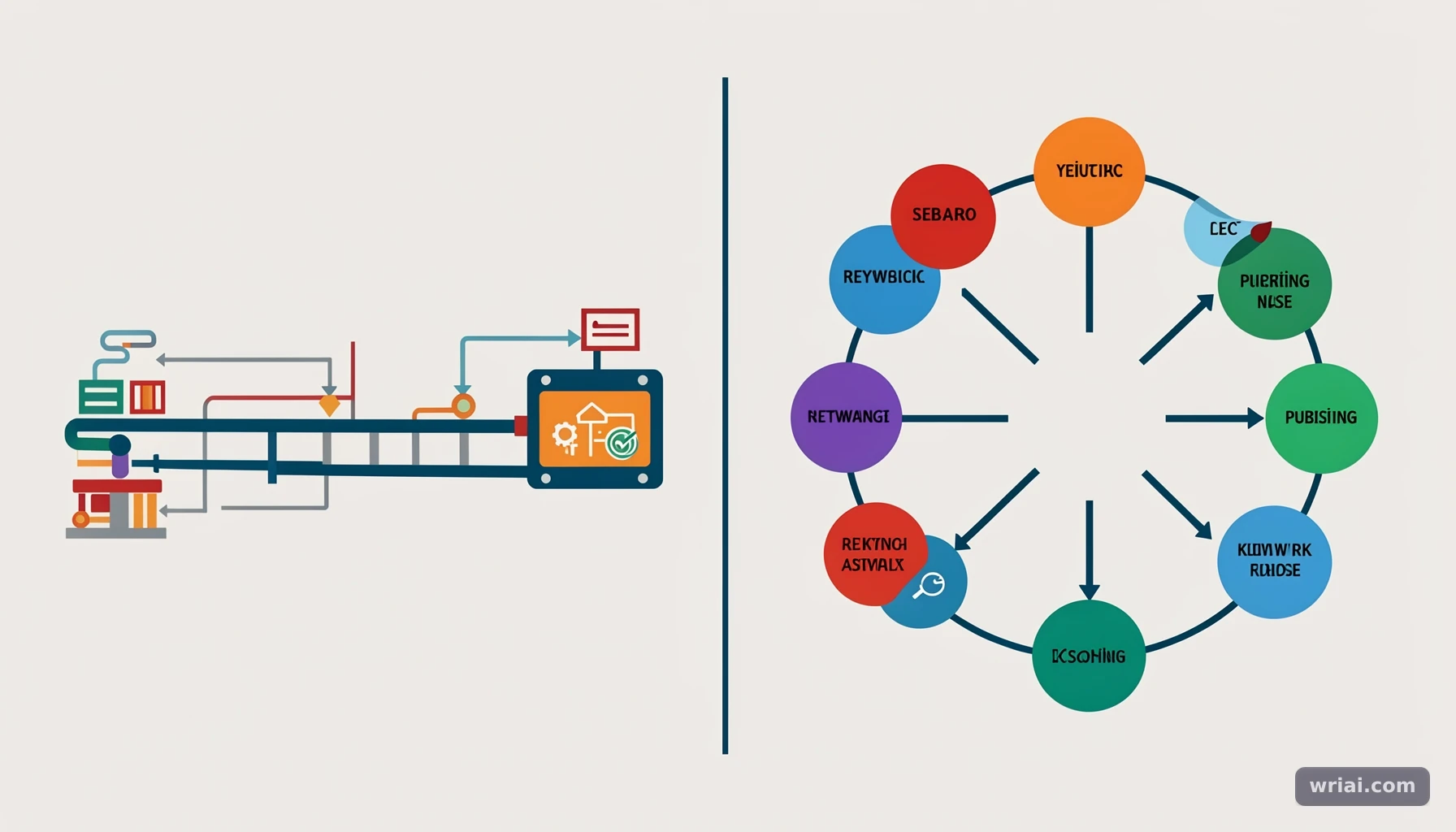 Wriai vs Keyword Insights: AI SEO Automation vs Keyword Clustering - Comparing their workflows, strengths, and limits
Side-by-side comparison
| Evaluation area | Wriai | Keyword Insights | What this means in practice |
|---|---|---|---|
| Primary role | Autonomous SEO and content lifecycle automation | Keyword clustering and content strategy | Choose based on the work you need to improve first |
| Keyword workflow | Accepts up to 10 seed keywords, expands them through Google autocomplete, scores them, labels intent, and suggests article lengths | Organizes keyword lists into topic clusters and supports intent analysis | One emphasizes opportunity discovery; the other emphasizes grouping and planning |
| Opportunity analysis | Golden Opportunity Engine identifies potential keywords and ranking gaps | Helps reveal content gaps and topic relationships | Both can inform planning, but their core outputs differ |
| Content support | Content Studio supports planning and creation; one-click writing can trigger content generation from keyword research | Supports content briefs and structured planning | A generated draft or brief still needs editorial review |
| Publishing | Automated publishing through supported CMS integrations | Not positioned as an end-to-end publishing system in the supplied product information | Teams may need a separate publishing workflow for clustered plans |
| Linking and distribution | Includes internal and external linking workflows and social distribution | Focuses on strategy and organization rather than these execution steps | Consider whether post-draft operations are a major bottleneck |
| Indexing and monitoring | Includes automated indexing and monitoring; can use Google Search Console data for ranking workflows | Not positioned as a monitoring and recovery platform in the supplied product information | Automation can help connect publication with ongoing maintenance |
| Content maintenance | Content Decay Recovery identifies declining content for refresh | Helps organize content strategy and address cannibalization | These solve different maintenance problems |
| Best fit | Teams seeking to automate repeated SEO production tasks | Teams needing clearer keyword clusters, briefs, and topic organization | The best fit depends on team capacity and process maturity |
How to interpret feature claims
The table describes product positioning, not a guarantee that every workflow will perform equally well for every site. For instance, automated publishing can reduce repetitive handoffs, but it does not establish that a draft is accurate, sufficiently original, or appropriate for a particular audience. Likewise, a clean cluster is a planning aid, not proof that every suggested page deserves publication.
A fair evaluation should test a representative project: use a real set of keywords, inspect the proposed organization, review the content workflow, and check whether the output fits your editorial standards. Ask what requires approval, what can run automatically, and what data the team needs to supervise the process.
Which jobs should you compare directly?
Compare clustering quality with clustering quality: do related terms land together sensibly, and are intent differences visible? Compare execution with execution: how much manual work remains between opportunity discovery and a published, maintained page? Avoid scoring one product poorly for not being designed to perform the other product’s central job.
This distinction is particularly relevant as search results evolve, including the growing presence of AI Overviews. Teams still need useful, well-structured content, but the operational challenge increasingly includes keeping research, publication, and updates connected. A platform’s value depends not just on feature count but on how well its workflow fits the site’s actual process.
How to use each tool in a practical SEO workflow
A practical comparison starts with a real project and follows it from research through measurement. The steps below show where clustering is useful, where an execution platform fits, and where human review remains important.
Step 1: Define the project and gather search themes
Start with a clear audience, site section, and business goal. Instead of collecting unrelated terms, choose a focused topic such as “Shopify returns management” or “project management software integrations.” Record existing pages, the questions customers ask, and any known ranking or content gaps.
For keyword discovery in Wriai, users can enter up to 10 seed keywords and choose a target country and language. The workflow expands the seeds through Google autocomplete, merges duplicates, and calculates measures such as search volume, trends, and CPC. Each keyword receives an Opportunity Score from 0 to 100 based on difficulty, intent, and traffic potential.
These metrics help prioritize investigation; they should not be mistaken for a promise of traffic or rankings. Validate important terms against your own audience, search results, and business priorities.
Step 2: Organize terms by intent and page purpose
Before drafting, decide which search terms represent the same underlying need. A query asking how to connect a product with a CRM may belong on an integration guide; a query asking which CRM to choose may need a comparison page. Similar wording alone does not mean two queries deserve the same page.
Keyword Insights is suited to organizing large keyword sets into topic clusters, examining intent, and identifying possible cannibalization. Review the proposed groups manually: separate terms when the searcher’s task differs, and combine them when one well-built page can satisfy closely related needs. Check existing URLs before creating new ones, since a new page may duplicate a page that already serves the topic.
Step 3: Turn the plan into reviewed content
For each approved page, create a brief that specifies the reader’s problem, the page’s purpose, supporting questions, evidence requirements, and links to related resources. A cluster can provide the structure, but it does not replace expertise or source checking.
An automated content workflow can help move from research to a draft and publishing process. In Wriai, keyword research results can be filtered by intent or volume, exported to CSV, or used to trigger One-Click Writing. Treat the result as a starting point: verify claims, remove repetition, add first-hand knowledge where available, and make sure the page offers something more useful than a rearrangement of search results.
Step 4: Publish, connect, and monitor
Before publishing, check the page title, headings, internal links, formatting, and target URL. A content lifecycle workflow can then connect publication with activities such as linking, social distribution, indexing, and performance monitoring. Wriai supports these broader execution steps and can use Google Search Console data in its monitoring workflows.
After publication, evaluate performance against the page’s purpose. If a page loses visibility or becomes outdated, investigate before rewriting it: the cause may be content decay, overlap with another URL, a changed search need, or a technical issue. Refresh only when the evidence supports a change, and preserve useful information that still serves readers.
Expert tips, common mistakes, and a worked example
The most reliable approach is to use tools to reduce repetitive work while keeping strategic and editorial decisions accountable. In practice, teams get better results when they test outputs against search intent, site context, and content quality—not simply accept an automated score or cluster.
A worked example: a growing SaaS knowledge base
Imagine a SaaS company with keyword data around “CRM integration,” “connect CRM to Shopify,” and “CRM for ecommerce.” A clustering workflow may reveal that setup queries share a practical how-to intent, while the product-selection query calls for a distinct comparison page. That separation helps prevent a single page from trying to serve incompatible needs.
The team can then map the setup cluster to a guide and the selection query to a buyer-focused resource. An end-to-end workflow can support research, drafting, publishing, linking, and monitoring, while an editor confirms that instructions match the current product and that comparative claims are fair. The example illustrates complementary roles, not a required two-product setup: a team may use one platform, another combination of tools, or a manual process.
Tips for better decisions and safer automation
- Review intent, not just topic labels. Two terms can mention the same product but signal different tasks, such as learning how to configure it versus deciding whether to buy it.
- Inspect existing URLs before expanding a cluster. A new page may create unnecessary overlap when an existing resource could be improved.
- Use opportunity scores as triage. A high score can point to a term worth investigating, but it is not a ranking forecast.
- Set clear editorial checkpoints. Assign responsibility for factual accuracy, product details, claims, and final approval before enabling automated publication.
- Measure the workflow, not just the output. Track whether the process reduces handoffs and helps the team maintain useful pages, rather than judging it only by draft volume.
Based on the workflow distinction described by Alex Vance, a useful evaluation question is: Which recurring handoff currently slows the team down most? If the problem is an unwieldy keyword list and unclear topical relationships, clustering deserves attention first. If the plan is already sound but research, production, publishing, and updates remain disconnected, lifecycle automation may address the more important constraint.
Mistakes that lead to poor tool comparisons
A common mistake is expecting a clustering platform to publish and maintain content, or expecting an automation platform to replace all strategy decisions. Another is publishing every generated idea simply because it has a score or belongs to a cluster. Search opportunity is only one input; audience relevance, distinctiveness, evidence, and editorial capacity matter too.
Also avoid treating clustering as an automatic cure for cannibalization. A cluster can help reveal overlap, but resolving it may require reviewing the pages’ intent, internal links, and performance before choosing to merge, revise, or keep them separate. Make changes deliberately, then monitor whether the revised structure better serves readers.
Which option fits your team and SEO priorities?
The best choice depends on where work is getting stuck, how much content the team manages, and how much control it needs over production. A simple process audit can prevent teams from adopting a tool that solves a secondary problem while the main bottleneck remains untouched.
Choose clustering when planning is the bottleneck
Keyword Insights is a natural fit when the team has substantial keyword data but lacks a defensible topic structure. It is especially relevant when planners need to group related queries, examine intent, spot gaps, reduce overlap, or create clearer briefs before writers begin.
A small site with a limited number of pages may not need a dedicated clustering workflow if a simple spreadsheet and careful search-result review already provide enough structure. A larger content program, multiple writers, or an extensive backlog may benefit more from consistent grouping and planning.
Consider lifecycle automation when execution is the bottleneck
Wriai is designed for teams that want to connect opportunity discovery with creation, publishing, linking, distribution, indexing, monitoring, and content recovery. This is most relevant when manual handoffs slow recurring work or when published pages are not being systematically monitored and refreshed.
Before adopting any automated workflow, map approval requirements and identify which tasks can safely run without intervention. A team that needs strict review of every product statement may automate research and routing while keeping publication under human approval. Automation should fit governance, not bypass it.
Use both approaches only when both needs are real
Some teams may benefit from a planning tool alongside an execution platform, but adding tools is not automatically an improvement. Use a combined workflow only if each tool has a distinct role and the handoff between them is clear. For example, a strategist might approve clusters and page purposes before an execution workflow creates and schedules content.
For a comparison of a different keyword-research model, readers can also review Wriai vs LowFruits. The useful lesson is to compare products by the job they perform, not just by the fact that both include SEO-related features. Reassess the setup when the team’s content volume, review needs, or maintenance workload changes.
FAQ
Is Wriai a replacement for Keyword Insights?
Not necessarily. They are positioned around different parts of SEO: Wriai emphasizes end-to-end execution, while Keyword Insights emphasizes clustering and strategic organization. A team that primarily needs to turn a large keyword list into coherent topic groups may prefer a clustering-focused workflow. A team that already has a plan but needs to connect research, content production, publishing, and monitoring may prioritize lifecycle automation. Compare the actual tasks your team needs rather than assuming one product replaces the other.
Does Keyword Insights publish and monitor content automatically?
Keyword Insights is positioned as a planning and clustering platform, with capabilities focused on organizing keyword lists, examining content gaps, addressing cannibalization, and supporting content briefs. The supplied product information does not position it as an end-to-end publishing and monitoring system. If automated publishing, indexing, social distribution, or content decay recovery are requirements, verify those capabilities separately before choosing a workflow. A strategy tool can still be valuable even when another process handles publication and ongoing maintenance.
How does Wriai’s keyword research workflow work?
Users enter up to 10 seed keywords and select a target country and language. Wriai expands those terms through Google autocomplete, merges duplicates, and calculates data such as search volume, trends, and CPC. It assigns an Opportunity Score from 0 to 100 based on difficulty, intent, and traffic potential, labels search intent, and suggests article lengths. Users can filter or export results, or use One-Click Writing. Treat scores as prioritization signals, not guaranteed traffic or ranking outcomes.
Can an SEO team use clustering and automation together?
Yes, if each workflow has a clear responsibility. A team might use clustering to approve topic groups, page purposes, and briefs, then use an automation platform to support research, content production, publishing, linking, distribution, and monitoring. The handoff should include human checks for intent, accuracy, originality, and overlap with existing pages. If the team cannot explain what each tool contributes—or the setup adds more review work than it removes—a simpler workflow may be more effective.
Alex Vance
Head of AI SEO & Autonomous Growth Systems
Specialist with 9+ years of experience in algorithmic search engine optimization, semantic knowledge graphs, and large-scale LLM automation.