Best YouTube Autocomplete APIs for Video Keyword Research in 2026

The best YouTube autocomplete API depends on whether you need a quick list of query ideas, localized results at scale, or a managed SERP dataset. YouTube suggestions can reveal how viewers phrase video searches, while the Bing Autosuggest API can help enterprise teams explore queries for web search; neither is a search-volume estimate or a guarantee of ranking potential. Use them to generate ideas, then use keyword clustering tools to group related phrases before validating them against your audience, channel, and search results.
How YouTube Autocomplete Differs From Google Search
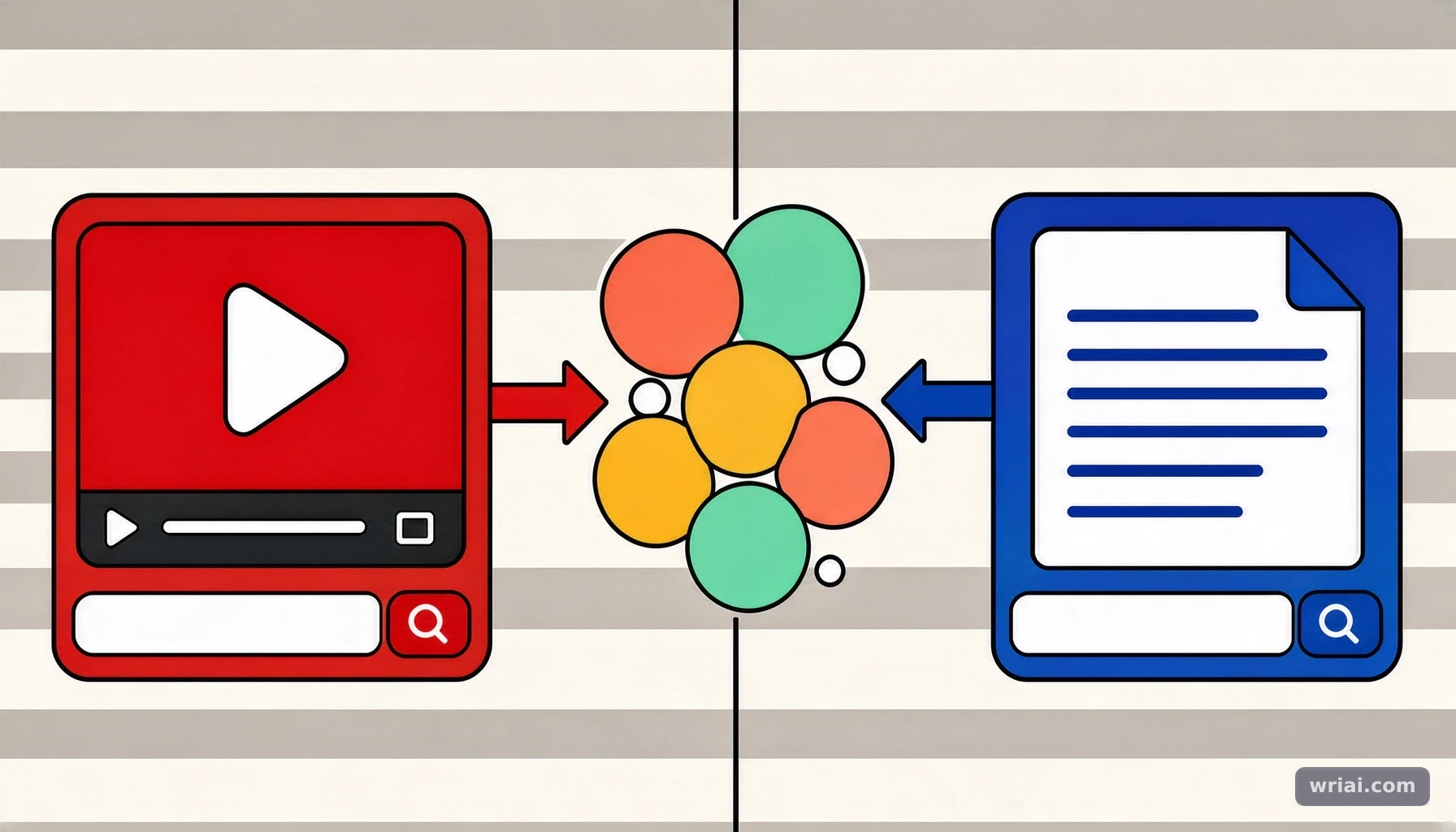 Best YouTube Autocomplete APIs for Video Keyword Research in 2026 - Visual comparison of YouTube video search intent versus general web search behavior
YouTube autocomplete is useful for discovering video-oriented query language: the words viewers add to a starting phrase when looking for an explanation, review, comparison, or specific result. Suggestions are research clues, not a complete map of demand.
Video intent changes the suggestions
A YouTube query often implies that the user wants to watch something. A search beginning with “how to repair a…” may lead to tutorial-focused completions; “review,” “before and after,” or “for beginners” can indicate other video formats. These are useful patterns to investigate, not fixed categories guaranteed by the platform.
Google autocomplete serves broader web-search behavior. A phrase may indicate that someone wants a product page, a definition, a local service, a news article, or a video. For a detailed comparison of how web-search suggestions are collected and used, see this guide to Google Autocomplete API architecture.
Suggestions reflect completion behavior, not a public ranking formula
Autocomplete helps users complete a query. The visible list is influenced by the partial phrase and the search context, but it should not be treated as a direct ranking report. YouTube does not expose a simple public formula that lets a researcher infer exactly why a particular suggestion appeared.
A useful working distinction is:
- Autocomplete: candidate wording that may help complete a search.
- Search results: videos YouTube displays for a query at a particular time and context.
- Performance data: evidence about how a channel’s own videos reach and engage viewers.
These answer different questions. Suggestions help generate a keyword set; results help inspect competition and formats; channel analytics help evaluate actual performance.
Recency and query velocity need careful interpretation
Creators often see suggestions change as topics, events, and viewing behavior shift. That makes fresh suggestions worth checking when researching timely subjects. But a suggestion appearing or moving in a list does not, by itself, prove that searches are accelerating. Location, language, personalization, and the exact query can also affect what a researcher sees.
Record the date, locale, language, and seed phrase when collecting suggestions. Repeating the same check under consistent settings gives a more useful comparison than treating one autocomplete response as a trend report.
Comparing YouTube Suggest Collection Methods
There is no single best option for every project. Compare providers by the data they document, their controls for location and language, their usage limits, and whether they actually return YouTube search results or only autocomplete suggestions.
What the main options can and cannot tell you
The names below are starting points for evaluation, not endorsements or claims that a particular product currently supports every feature. API endpoints, access rules, response formats, and quotas can change. Check current provider documentation before building a workflow around them.
- DataForSEO YouTube Search API: Evaluate it when you need a provider-managed way to collect YouTube search data. Confirm whether the specific endpoint you intend to use returns autocomplete suggestions, search results, or both; those are not interchangeable datasets.
- SerpApi YouTube Engine: Assess the documented engine and output fields for the task. A search-results response may help analyze visible results, but it should not be assumed to provide autocomplete unless the documentation says so.
- RapidAPI community wrappers: These can make experimentation straightforward, but each wrapper is maintained independently. Verify its upstream source, authentication method, response stability, limits, and terms before using it for ongoing research.
- Direct Python requests: A lightweight way to test a suggestion endpoint, but not a dependable production service by default. Responses can change, requests may be limited, and unofficial access can be subject to platform terms and technical restrictions.
A practical comparison matrix
“Not specified” means the capability should be verified in the provider’s current documentation; it is not a claim that the feature is unavailable. Quota terms are provider-specific and may depend on the account or plan, so do not assume a universal request allowance.
| Collection method | Query quota | Shorts search intent detection | Regional localization | Best fit |
|---|---|---|---|---|
| DataForSEO YouTube endpoints | Check current endpoint and account documentation | Confirm whether Shorts are identified as a field or inferred from results | Confirm supported location and language parameters | Managed collection when documented outputs match the research need |
| SerpApi YouTube Engine | Check current engine and account documentation | Verify whether Shorts format is explicitly labeled | Check supported location and language controls | Retrieving and inspecting YouTube search-result data |
| RapidAPI community wrapper | Varies by provider and API listing | Usually must be verified against the wrapper’s response schema | Depends on the individual wrapper | Prototyping after checking maintenance and terms |
| Direct Python request | No provider quota guarantee; subject to endpoint behavior and limits | Autocomplete alone does not identify a result as a Short | May be possible through request parameters, but must be tested | Small-scale exploration and learning |
Separate suggestion collection from Shorts classification
Autocomplete can surface queries such as “quick,” “under 60 seconds,” or “short tutorial,” but those words do not prove that searchers want a YouTube Short. Likewise, a query that lacks the word “Shorts” may still return Shorts in search results.
Treat format as a separate research field. Inspect the results for the target query and record whether Shorts appear, rather than asking an autocomplete API to infer a format signal it may not provide. This distinction prevents a common reporting error: presenting query wording as verified format intent.
A Practical Python Workflow for YouTube Keyword Ideas
A small script can expand seed phrases into autocomplete suggestions and turn those phrases into candidate video titles and tag ideas. Suggestions are not official keyword-volume data, and generated title or tag candidates should be edited for accuracy and natural language.
Collect suggestions from seed phrases
The following example makes requests to a YouTube suggestion endpoint and reads the returned suggestion phrases. It is an exploratory method, not an official API integration or a promise of uninterrupted access. Check applicable platform terms, use modest request volumes, and stop if requests are rejected or limited.
import time
import requests

SUGGEST_URL = "https://suggestqueries.google.com/complete/search"

def youtube_suggestions(query, language="en", region="us"):
    params = {
        "client": "firefox",
        "ds": "yt",
        "q": query,
        "hl": language,
        "gl": region,
    }
    response = requests.get(
        SUGGEST_URL,
        params=params,
        timeout=10,
        headers={"User-Agent": "Mozilla/5.0"}
    )
    response.raise_for_status()
    payload = response.json()
    return payload[1] if len(payload) > 1 else []

seeds = [
    "beginner sourdough",
    "beginner sourdough starter",
    "sourdough troubleshooting",
]

seen = set()
for seed in seeds:
    try:
        for suggestion in youtube_suggestions(seed):
            phrase = suggestion.strip()
            if phrase and phrase.lower() not in seen:
                seen.add(phrase.lower())
                print(f"{seed}\t{phrase}")
        time.sleep(1)
    except requests.RequestException as error:
        print(f"Could not retrieve suggestions for {seed!r}: {error}")
The ds=yt parameter requests YouTube-oriented suggestions. Treat the endpoint and response format as subject to change. For research that must be repeatable, save the raw results alongside the date, locale, and seed phrase, and evaluate a documented provider if the direct approach does not meet your reliability or compliance requirements.
Turn phrases into title and tag candidates
Autocomplete returns query ideas; it does not return video titles or video tags. Use phrases as inputs for editorial drafting, not as ready-made metadata. For example, “sourdough starter not rising” could inspire the title “Why Your Sourdough Starter Is Not Rising: 5 Checks,” if the video genuinely covers those checks.
A simple local transformation can produce working drafts:
def title_idea(phrase):
    return f"How to Solve {phrase.title()}"

def tag_ideas(phrase):
    words = phrase.lower().split()
    candidates = [phrase.lower()]
    candidates.extend(
        " ".join(words[:i])
        for i in range(len(words) - 1, 1, -1)
    )
    return list(dict.fromkeys(candidates))

phrase = "sourdough starter not rising"
print(title_idea(phrase))
print(tag_ideas(phrase))
This intentionally uses a generic title pattern; a human editor should make it specific, accurate, and compelling without promising an outcome the video cannot deliver. The tag list is a set of draft ideas, not a measurement of tag value. If you need the tags attached to an existing video, autocomplete cannot supply them; use an appropriate authorized data source and verify what fields are available.
Validate the ideas before production
For each promising phrase, inspect YouTube results and ask whether the visible videos match the intended viewer need. Note recurring formats, freshness, audience level, and unanswered questions. A phrase can be linguistically clear but still be a poor fit for a channel if the results show a different intent or a format the creator cannot produce well.
Then group closely related phrases into one video brief rather than making a separate video for every autocomplete variation. For instance, “starter not rising,” “sourdough starter not bubbling,” and “starter inactive” may represent overlapping troubleshooting needs. The research task is to decide whether they belong in one comprehensive video or in distinct videos with clearly different answers.
Tips, Common Mistakes, and a Worked Example
 Best YouTube Autocomplete APIs for Video Keyword Research in 2026 - Comparing different methods for collecting and organizing YouTube suggestion data
Autocomplete is most useful as one input in a disciplined research process. The main risks are overreading suggestion order, treating every phrase as a separate topic, and confusing generated ideas with evidence about demand.
Use a consistent collection routine
For useful comparisons, keep the query conditions stable:
- Choose a clear seed phrase and record it.
- Set and record the language and region.
- Collect the suggestions and note the date.
- Repeat with meaningful variants, such as “how to,” “review,” or “for beginners.”
- Inspect search results separately for the strongest candidates.
- Group phrases by the viewer problem they express.
This routine is especially important for regional research. A US English result and a UK English result may differ in wording or context. Do not combine them into a single undifferentiated list if the channel targets distinct audiences.
Avoid these interpretation errors
- Calling suggestions search-volume data: A suggestion is not a monthly search estimate.
- Reading rank as a precise popularity score: Position can vary with the query and context; do not convert it into an unsupported demand metric.
- Assuming every query signals a video format: “Tutorial” may suggest an instructional need, but only result inspection can show which formats appear for that search.
- Treating generated tags as verified metadata: The script creates candidates from words; it does not establish that those tags are used by successful videos.
- Ignoring the audience’s actual problem: A phrase can be popular-sounding but irrelevant to a channel’s expertise or content quality.
Alex Vance’s practical guidance is to maintain a distinction between observed data and editorial interpretation. Label the suggestion as collected, the intent as inferred, and the video idea as proposed. That simple separation makes a keyword brief easier to review and less likely to overstate what the data proves.
Example: turning a seed into a video brief
Suppose a cooking channel starts with “beginner sourdough starter.” Suggestions might include variations about feeding, smell, bubbles, or inactivity. These are useful topic directions, but the creator should check the actual returned phrases and search results rather than assume those examples will appear in every locale.
A concise brief could capture:
- Seed: “beginner sourdough starter”
- Suggestion cluster: feeding, signs of activity, troubleshooting
- Viewer need to investigate: starting or maintaining a starter
- Possible video: a beginner walkthrough that covers feeding and signs of activity
- Validation task: inspect results for overlap and identify whether troubleshooting deserves its own video
This turns a raw list into a decision. It also avoids producing several thin videos that answer nearly the same question.
Choosing an Approach for Your Channel or Research Team
The right method depends on scale, repeatability, and the decision you need to make. A creator exploring a few ideas can begin with a modest test; a team comparing many topics or markets should prioritize documented controls, stable data handling, and clear separation between autocomplete and search-result analysis.
For individual creators
Start with a handful of seed phrases tied to videos you can credibly make. Collect suggestions in the audience’s language, inspect results, and choose a topic only when you can offer a useful answer or perspective. A direct request can help with experimentation, but avoid making a publishing calendar depend on an unofficial endpoint that may change.
Use a spreadsheet with columns for seed, suggestion, locale, date, inferred need, result-page observations, and proposed video. This keeps a useful audit trail without making the process more complicated than the decision requires.
For agencies and larger research programs
A managed API is worth evaluating when the team needs repeatable collection, multiple locales, or a shared workflow. Before adopting one, test the specific endpoint against a small set of representative queries. Check returned fields, failure handling, localization controls, quota documentation, and whether the data is suggestions or search results.
Wriai’s broader SEO workflow is relevant when video research is one part of a wider content lifecycle: it connects opportunity discovery with planning, creation, publishing, linking, distribution, and performance monitoring. That does not make it a substitute for checking YouTube-specific suggestion fields or validating video intent in the results.
For localized and Shorts-focused research
If your channel serves multiple regions, collect and store each locale separately. A translated phrase may not capture how local viewers naturally search, so native-language review can be important before using an idea in a title. Recheck promising queries periodically when the topic is time-sensitive, while avoiding claims that suggestion changes alone establish a trend.
For Shorts, inspect the results themselves and record the observed formats. Neither a phrase’s wording nor an autocomplete response should be treated as definitive Shorts intent detection unless the chosen provider documents a reliable field for that purpose. In 2026, the most useful workflow remains the one that preserves this distinction: suggestions generate hypotheses, and result inspection tests them.
FAQ
What is the best YouTube autocomplete API?
There is no universally best choice. For a small research task, a direct request can demonstrate how suggestions work, but it is not a guaranteed production interface. For repeatable collection, compare documented providers such as DataForSEO, SerpApi, or a specific RapidAPI wrapper against your requirements. Verify that the endpoint returns autocomplete suggestions—not merely search results—and check its current quota, localization controls, response fields, and terms before relying on it.
Does YouTube autocomplete show keyword search volume?
No. Autocomplete provides suggested query completions, not a direct monthly search-volume figure. A phrase appearing in the list can help you identify wording to investigate, but it does not establish how many people search for it or how competitive it is. Use result-page inspection and any suitable, documented research data available to your workflow, and label estimates separately from observed suggestions so readers of your report can tell the difference.
Can YouTube autocomplete identify Shorts keywords?
Not reliably by itself. Autocomplete may return a phrase that appears related to short-form video, but wording is not proof that viewers intend to watch a Short. Check the search results for the target query and record whether Shorts appear. If an API claims to identify Shorts, confirm that its documentation explains the field and how it is derived; do not assume every YouTube search API includes format classification.
Can I use autocomplete suggestions as video tags?
You can use suggestions as starting points for tag ideas, but the suggestion response does not provide the tags attached to a video. Nor does it prove that a suggested phrase is an effective tag. Build metadata that accurately describes the video and reflects its subject, then distinguish those editorial choices from collected autocomplete data. If you need existing video tags, consult an authorized data source and verify whether the relevant metadata is available.
Alex Vance
Head of AI SEO & Autonomous Growth Systems
Specialist with 9+ years of experience in algorithmic search engine optimization, semantic knowledge graphs, and large-scale LLM automation.