How SEO Fits Into Marketing Automation

How is SEO a part of marketing automation? It is the process of connecting organic search work to an ongoing, data-informed marketing workflow: finding opportunities, researching and creating content, publishing it, linking it, helping search engines discover it, distributing it, and monitoring results. Automation can take repetitive execution off a team’s plate, while tools differ in how they support the work—as the comparison of Wriai and SISTRIX shows—and people remain responsible for strategic judgment, accuracy, and quality.
What SEO automation does—and why it matters
SEO becomes part of marketing automation when it is treated as a continuous lifecycle rather than a collection of disconnected tasks. The goal is not simply to produce more content; it is to use data and connected workflows to identify, publish, maintain, and improve useful pages, starting with a 30-day SEO content calendar built from keyword data.
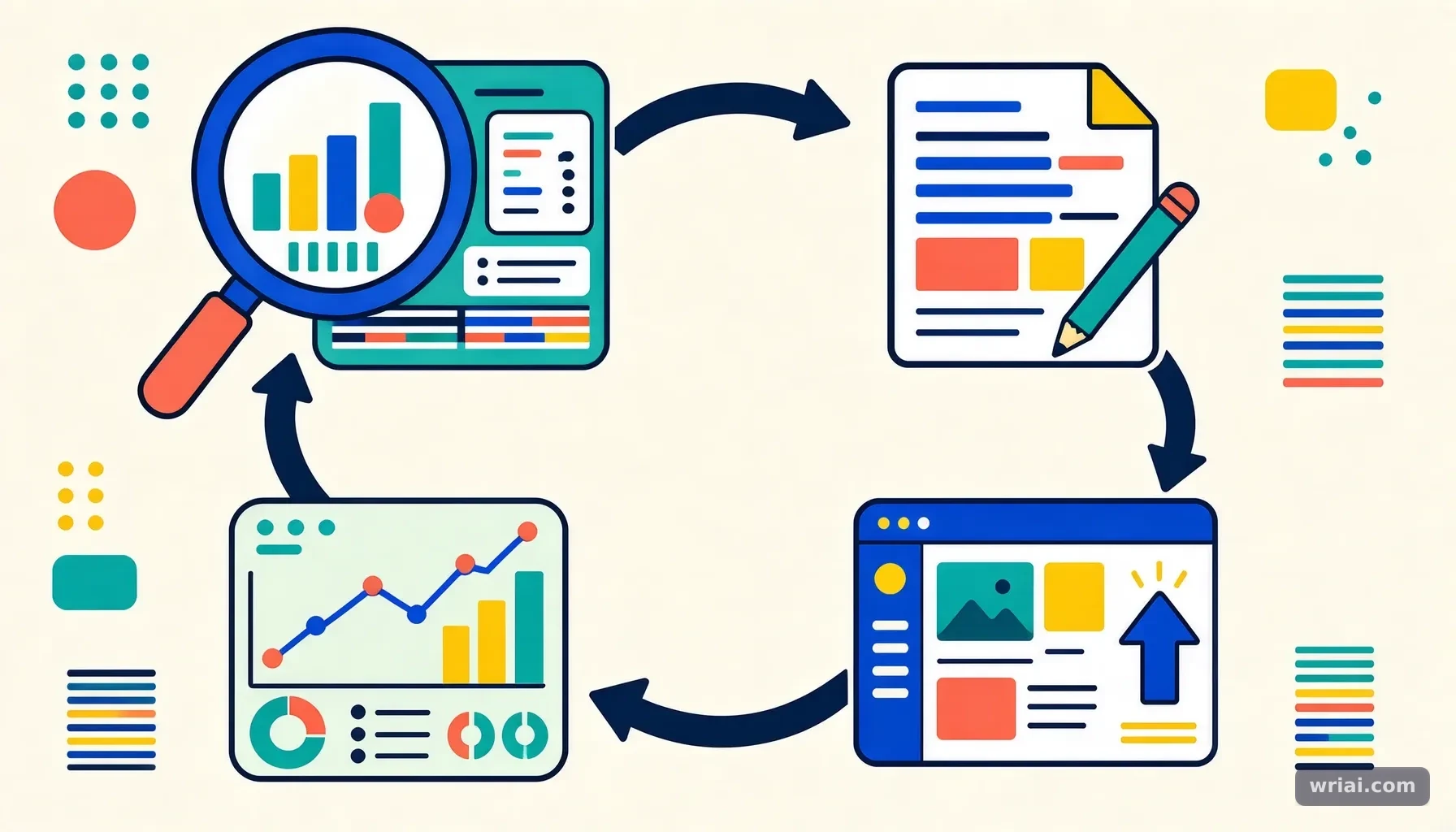 How SEO Fits Into Marketing Automation - A diagram illustrating the continuous lifecycle of SEO automation from research to execution
From recommendations to execution
Traditional SEO tools often surface information for a person to act on: a keyword opportunity, a technical issue, or a page that may need improvement. Marketing automation extends this model by connecting insights to execution. Depending on the system, an agent may help research a topic, draft content, publish it through a CMS, add relevant links, submit the URL for indexing, and track later performance with automated content planning, writing, and publishing.
This distinction matters because identifying a task is not the same as completing it. A dashboard can flag a page losing visibility, but a lifecycle-oriented workflow also needs a process for reviewing and refreshing that page. Automation is most useful when it reduces the repetitive handoffs between discovery, production, publishing, and maintenance without removing appropriate human review.
SEO’s role in the wider marketing workflow
SEO contributes to marketing automation by helping teams respond to how people search for information. Search data can reveal questions, topics, and ranking gaps that inform content planning. Once a page is published, its performance can provide signals about whether the topic, format, or content needs further attention.
Organic search also connects with other marketing activities. For example, a team can distribute a newly published article through connected social channels, then monitor search performance separately. These activities support a coordinated workflow, but they serve different purposes: social distribution can help share content, while indexing submission is a request for search engines to discover a URL—not a guarantee that it will be indexed or rank.
What automation can—and cannot—replace
Automation is well suited to repeatable tasks with clear inputs and outputs, such as scheduling workflows, identifying potential internal links, publishing approved content, or flagging declining pages. It can also bring together website data, Google Search Console data, and competitor intelligence to help prioritize opportunities.
It cannot make every editorial or business judgment reliably on its own. A person should still assess whether a topic fits the audience, whether claims are supported, whether the content demonstrates relevant experience, and whether an automated change is appropriate. The strongest model combines automated execution with human oversight at the points where accuracy, expertise, and brand trust matter most.
The SEO automation lifecycle at a glance
A practical way to understand SEO in marketing automation is to map each stage to its purpose, inputs, and outputs. This makes it easier to see where a workflow is genuinely automated and where a person still needs to review or decide.
Workflow stages and decisions
The table below describes a closed-loop workflow, from discovering an opportunity to recovering content that has started to decline. Actual capabilities vary by platform, so teams should confirm which steps are connected and which require manual action.
| Workflow stage | Main input or signal | Typical action | Useful human check |
|---|---|---|---|
| Opportunity discovery | Search data and ranking gaps | Identify topics with potential | Confirm audience relevance and business fit |
| Research and planning | Search intent, site content, and competitor intelligence | Group topics into clusters and plan coverage | Check for overlap, missing expertise, or unsupported assumptions |
| Content creation | Topic brief and relevant source material | Draft and optimize content | Verify facts, usefulness, originality, and experience |
| Publishing | Approved content and CMS connection | Publish or update a page | Review formatting, metadata, and destination URL |
| Internal and external linking | Page context and available link opportunities | Add contextual links | Confirm relevance, accuracy, and appropriate destinations |
| Indexing submission | Newly published or updated URL | Submit the URL for discovery | Remember that submission does not guarantee indexing |
| Distribution | Published page and connected channels | Share content through social channels | Check audience fit and channel suitability |
| Monitoring and recovery | Performance metrics over time | Flag or refresh underperforming content | Diagnose the cause before changing the page |
How to interpret the table
The stages are connected, but they are not interchangeable. A URL can be published without being indexed; a submitted URL can remain unindexed; and a page can be indexed without earning meaningful search visibility. Separating these outcomes helps teams identify where a workflow is succeeding or breaking down.
Likewise, a decline in performance is a signal to investigate, not automatic proof that a page needs a rewrite. The issue could involve the content, changing search demand, competition, or another factor. Monitoring should trigger a review process that uses available data and editorial judgment rather than blindly changing pages whenever a metric moves.
What to look for in an automation system
When evaluating a workflow, ask whether the system can move data into action and whether it supports oversight. Useful questions include: Can it use website and Search Console data to identify opportunities? Can it publish through the site’s CMS? Does it support contextual linking, URL submission, distribution, and content refresh workflows? Can a team review content before publication?
A system that generates drafts but leaves research, publishing, linking, and maintenance entirely disconnected may still be useful, but it is automating a narrower task. A lifecycle approach aims to connect those steps so teams can manage the work consistently and see where human approval remains necessary.
How to put an SEO automation workflow into practice
A practical implementation starts with a defined opportunity and a controlled workflow, not with turning on every automated action at once. Start small, validate each handoff, and expand only when the process produces accurate, useful work.
1. Discover and qualify opportunities
Begin with search data, website performance, and ranking gaps to identify topics worth investigating. A keyword with potential is not automatically the right topic: it should connect to the audience’s needs and the site’s ability to offer a helpful answer. Check existing pages first to avoid creating competing content that targets the same intent.
For example, a SaaS team might find that its site has relevant product documentation but lacks a clear introductory guide to a problem its audience searches for. The opportunity is not simply “write a new article.” The team should confirm that the guide answers a distinct need, supports the site’s broader coverage, and can offer information beyond a generic summary.
2. Plan the content and cluster
Once an opportunity is qualified, map it into a content plan. A cluster helps organize related pages around a subject, making gaps and overlap easier to spot. Research should inform the brief: what question the page answers, what information is needed, which existing resources are relevant, and how the page fits the site.
An AI Market Radar or similar monitoring function can help identify emerging search trends and competitor movements. Treat those signals as inputs, not final editorial decisions. A competitor publishing on a topic does not prove that your audience needs the same page or that copying its structure will be useful.
3. Create and review the content
Content generation should follow research and planning, not replace them. An automated content studio can assist with drafting and optimization, but the editorial review should verify claims, explain concepts clearly, and add relevant expertise. Check that the content addresses the reader’s actual question rather than repeating keywords or producing a surface-level treatment.
Before publication, review the page for factual accuracy, originality, and consistency with the site. Confirm that examples are realistic and that any recommendations are appropriate for the intended reader. This is also the point to ensure the content demonstrates experience and trustworthiness instead of relying on polished but unsupported statements.
4. Publish, link, and distribute
After approval, a connected CMS integration can publish the page or update an existing one. Then review the final page on the live site: check the URL, formatting, headings, images, and links. Automated internal linking can identify relevant connections, but each link should help readers move to a genuinely related resource. External links also need a clear purpose and a trustworthy destination.
If your team is exploring how SEO agents connect optimization with publishing, this guide to AI-driven SEO workflows and automated publishing provides relevant context. After publication, URL submission and connected social distribution can be part of the workflow. Keep their roles distinct: submission supports discovery, while social sharing distributes the content to connected audiences.
5. Monitor performance and recover declining content
Set a regular process to review page performance and identify content that may be losing visibility or usefulness. A decline should prompt diagnosis: examine available search and site data, compare the page with its original purpose, and consider whether its information is outdated or incomplete.
Content decay recovery is most effective when it improves the page for readers, not when it changes text for its own sake. Update relevant information, clarify weak sections, and add useful links where they fit. Then monitor the result. In a closed loop, what the team learns from published content informs future opportunity discovery and planning.
Expert practices and mistakes to avoid
Automation makes SEO work more consistent only when the workflow has sound rules and meaningful checks. Poor inputs, weak review, or indiscriminate changes can scale errors just as easily as they scale useful work.
Build review into the workflow
Set approval points based on risk. A low-risk formatting or scheduling task may need a different level of review from a new article containing detailed claims or recommendations. At minimum, define who checks research, who approves publication, and who investigates a performance decline before a page is changed.
Alex Vance’s practical approach is to treat automation as an execution partner, not an editorial authority. In a connected workflow, the system can surface a keyword gap and prepare a draft, but a reviewer should confirm that the opportunity is real, the page adds value, and its claims are supported. This division preserves speed without confusing automation with expertise.
Avoid common workflow failures
Several mistakes can undermine an otherwise capable system:
- Automating before defining quality: Without clear standards, automated content and links may be inconsistent.
- Publishing without a final check: CMS integration does not replace reviewing the live page.
- Treating indexing submission as a ranking tactic: Submission supports discovery; it does not guarantee indexing or visibility.
- Refreshing every declining page automatically: A metric change needs diagnosis before an edit.
- Adding links for volume: Links should be contextual and useful, not inserted simply to satisfy a task.
- Measuring output instead of outcomes: The number of pages published says little about whether they meet audience needs or perform well.
A sound workflow defines what “ready to publish” means and what evidence triggers a content review. Those criteria help agents act consistently and give people a practical way to audit the system.
Use realistic examples to test the process
Consider an agency managing several client sites. Its team can use opportunity discovery to identify a client-specific content gap, plan the topic alongside related pages, and prepare a draft for review. Once approved, it can publish through the CMS, add relevant internal links, submit the URL, and distribute the article through connected social channels. Later, monitoring can flag the page for review if performance declines.
The example is useful because each action has a distinct purpose and a review point. The same workflow would be weaker if it produced generic content for every client, published without approval, or refreshed pages automatically without checking why they were declining. Test a workflow on a limited set of pages first, then refine its rules based on actual quality and process gaps.
Choosing an approach for your team
The right level of SEO automation depends on a team’s workload, systems, and ability to review the work. Start by identifying the repetitive tasks that slow the team down, then decide whether the priority is better discovery, faster publishing, more consistent maintenance, or a combination.
For SEO professionals and content teams
SEO specialists can use automation to connect opportunity research with planning, publishing, linking, and monitoring. Content teams may benefit most when briefs, reviews, and CMS handoffs are currently fragmented. Agree on ownership: who approves topics, who checks editorial quality, and who responds when monitoring identifies a potential issue.
Teams should also define which decisions remain human-led. For example, an agent might surface a ranking gap, but an SEO professional can assess intent and overlap before assigning a brief. The more clearly these responsibilities are defined, the easier it is to distinguish useful automation from activity that merely generates more work to review.
For website owners, SaaS teams, and agencies
Website owners with limited capacity may value automation for recurring tasks such as publishing, link discovery, URL submission, and content maintenance. SaaS teams can use search opportunities to plan educational content around their audience’s questions, while agencies may use repeatable workflows to coordinate work across sites. In each case, the team still needs clear quality standards and a way to review actions that affect published content.
Wriai is one example of a platform positioned around this broader lifecycle: it combines opportunity discovery, content planning and creation, CMS publishing, linking, indexing submission, social distribution, and content decay recovery. Teams considering any platform should verify that its integrations and approval controls match their own systems and review requirements. A narrower tool may be preferable when only one task needs automation.
Start with a focused pilot
A pilot helps reveal whether automation improves a real workflow before the team expands it. Choose a limited set of pages or a defined content process, document the current handoffs, and decide what success means for the work—such as fewer manual steps, more consistent publishing, or a clearer process for reviewing declining content.
Then assess the quality of the output, not just the speed of execution. Did the selected topics fit the audience? Were pages accurate and useful? Were links relevant? Did publishing and indexing tasks complete as expected? Did the monitoring process lead to sensible reviews? Use those findings to adjust the workflow, keep useful human checkpoints, and expand gradually.
FAQ
How is SEO a part of marketing automation?
SEO is part of marketing automation when search data and connected workflows support recurring tasks across the content lifecycle. A system may help identify ranking gaps, plan content, create drafts, publish through a CMS, add contextual links, submit URLs for discovery, distribute content, and flag pages for review. Automation connects these tasks; it does not remove the need for editorial review or guarantee that a page will be indexed or rank.
Is an AI SEO writer the same as SEO automation?
No. An AI writer primarily helps generate text, while SEO automation can connect content work to other stages, such as opportunity discovery, CMS publishing, linking, indexing submission, distribution, and performance monitoring. Some tools cover only part of that process, so teams should check the actual workflow rather than relying on labels. Content generation still needs research, accuracy checks, and human judgment to ensure that the result is useful and trustworthy.
Does submitting a page for indexing guarantee that it will rank?
No. Automated URL submission is a way to support search-engine discovery, not a guarantee of indexing, visibility, or ranking. These are separate outcomes: a page can be submitted but not indexed, or indexed without earning prominent visibility. Teams should use submission as one step in a wider process that includes publishing a useful page, linking to it appropriately, and monitoring its performance.
When should a team refresh older SEO content?
Review older content when performance monitoring suggests a decline or when the page may no longer meet readers’ needs. First investigate the signal using available website and search data; a change in performance does not automatically mean the page needs a rewrite. If the page is outdated, incomplete, or unclear, update the relevant sections and links. Afterward, monitor the result to assess whether the changes helped.
Alex Vance
Head of AI SEO & Autonomous Growth Systems
Specialist with 9+ years of experience in algorithmic search engine optimization, semantic knowledge graphs, and large-scale LLM automation.